New in the App: Edit Any Workout and Make It Your Own
You’re two rounds into the 20 Minute HIIT Workout and the round you dread is coming up. You know the one. Maybe it’s the slipping drill you can never get the rhythm of, or the strength round that shows up right when your arms are already done. Until this week, your options were to grit your teeth, skip the round, or rebuild the whole workout from scratch as a custom one.
Now you can just change that round. Every workout in the Shadow Boxing App can be opened in the workout editor, tweaked, and saved as your own.

Why this matters more than it sounds
The thing we care about most in this app is that it adapts to you rather than the other way around. A workout video is the same every time you press play. A class at the gym runs on the coach’s plan, not yours. Most boxing apps give you a fixed list of sessions and that’s that.
We’ve always pushed against that. The custom workout builder has been in the app for years, and you can dial the intensity of any session up or down. But there was a gap. The built-in workouts were designed by us, and if you liked ninety percent of one and hated the rest, you were stuck with the full package. Rebuilding it from a blank custom workout meant guessing which exercises we had picked and why.
This update closes that gap. The built-in workouts become starting points instead of finished products.
How it works
Open any workout the way you normally would. Scroll past the exercise list, the round count, and the intensity line, and you’ll find a new button: Open in workout editor.
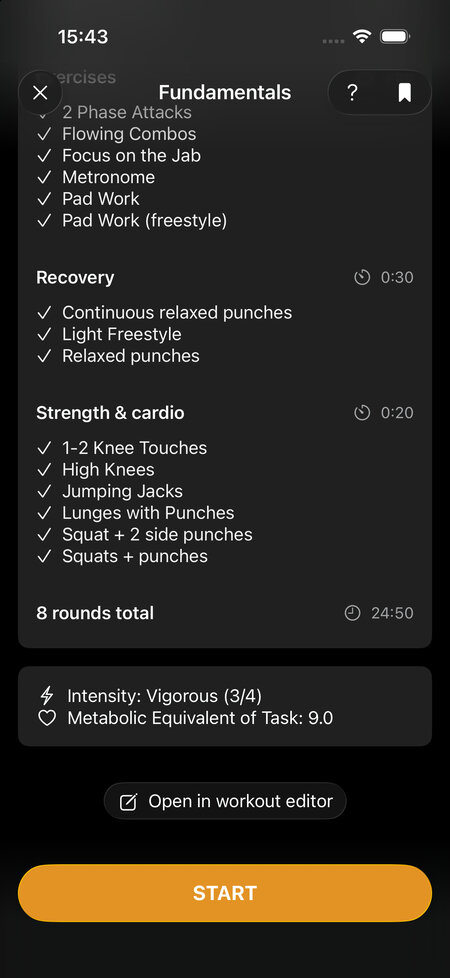
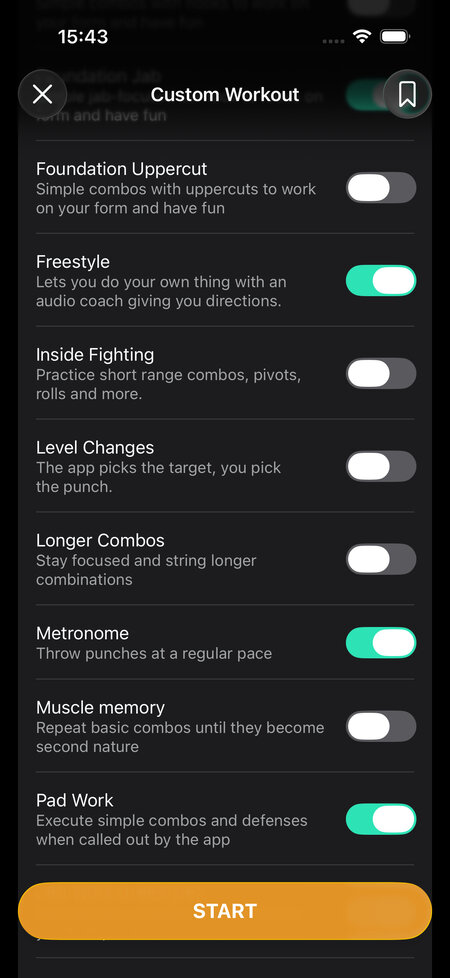
Tap it and the workout loads into the same editor you’d use to build a custom session, with everything already filled in. Fundamentals, for example, shows up with its 8 rounds, its offense exercises toggled on, its recovery and strength rounds in place. From there it’s the regular editor: flip exercises on or off, change the number of rounds, adjust round length and rest, pick a different intensity, turn the guided warmup on or off. Hit start and the app generates the session from your version.
Nothing happens to the original. The Fundamentals that ships with the app stays exactly as it is, and your edited version lives alongside it as a custom workout you can come back to.
Things people actually do with it
A few examples of changes that take about ten seconds in the editor:
- Swap an exercise. Don’t like the defensive drill in a workout? Toggle it off and turn on a different one from the same group. The round is still there; it just asks something else of you.
- Add rounds. Want 12 rounds instead of 8? Change the number and the app spreads the exercises across the longer session. You don’t have to tell it what goes in rounds 9 through 12.
- Shorten it. Only have 15 minutes? Drop rounds or trim the round length and the workout shrinks to fit.
- Change the mix. Take a punching bag workout and remove the strength and cardio rounds so it’s pure bag work. Or do the opposite and add them to a shadow boxing session that felt too light.
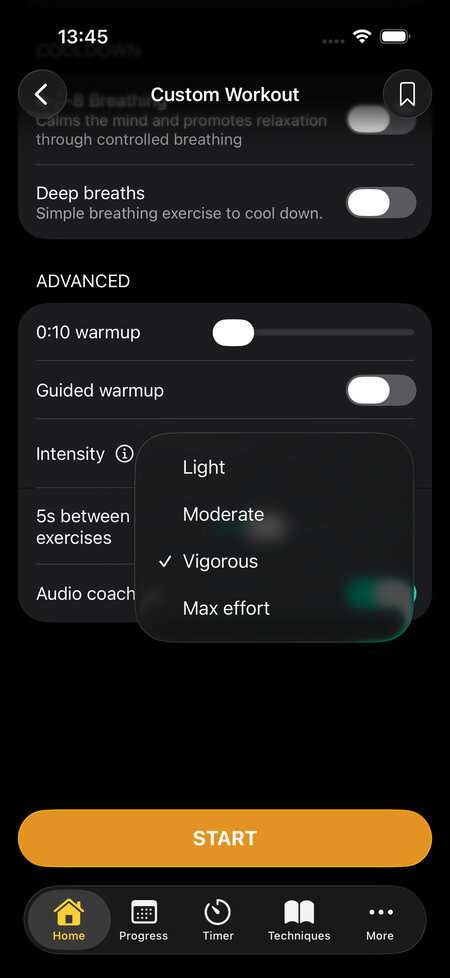
The part that makes this work is that the app never stores a workout as a fixed script. It stores the ingredients and the rules, then builds the rounds when you press start. That’s why you can add four rounds without specifying what goes in them, and why the same workout feels a little different every time you run it. We wrote about this when we explained how the app picks footwork directions, and the same logic applies to the whole workout, not just the movement callouts.
There are more workouts in here than it looks
The app lists around a hundred workouts and that number used to be the honest count. Now it undersells things. Each workout is a template, and every toggle you flip in the editor produces a session nobody has done before. Take a session you like, change two exercises, add a round, nudge the intensity: that’s a new workout, and it’s one that fits you specifically rather than the average user we had in mind when we designed the original.
For a beginner, this means the punching bag workouts that feel a touch too hard can be softened without abandoning them. For someone who’s been training for years, it means the advanced sessions can get harder, longer, or more focused on the one thing they want to drill this month. Same app, very different training, and you don’t need to understand how the builder works to get there. You start from something that already works and change what bothers you.
Where to find it
Update to the latest version, open any workout, and look for the Open in workout editor button under the intensity details. Edited workouts show up with your other custom sessions. If you’ve never used the editor before, starting from an existing workout is a much gentler way in than facing a blank one.