
The Boxing App Feature for When You Know What to Practice
Most of what we build into the Shadow Boxing App is for the days you show up without a plan. You open the app, answer a couple of questions, and it picks a workout for you. But some people walk in knowing exactly what they want to drill that day, and pushing them through a guided flow just gets in the way. That is who the combo creator is for.
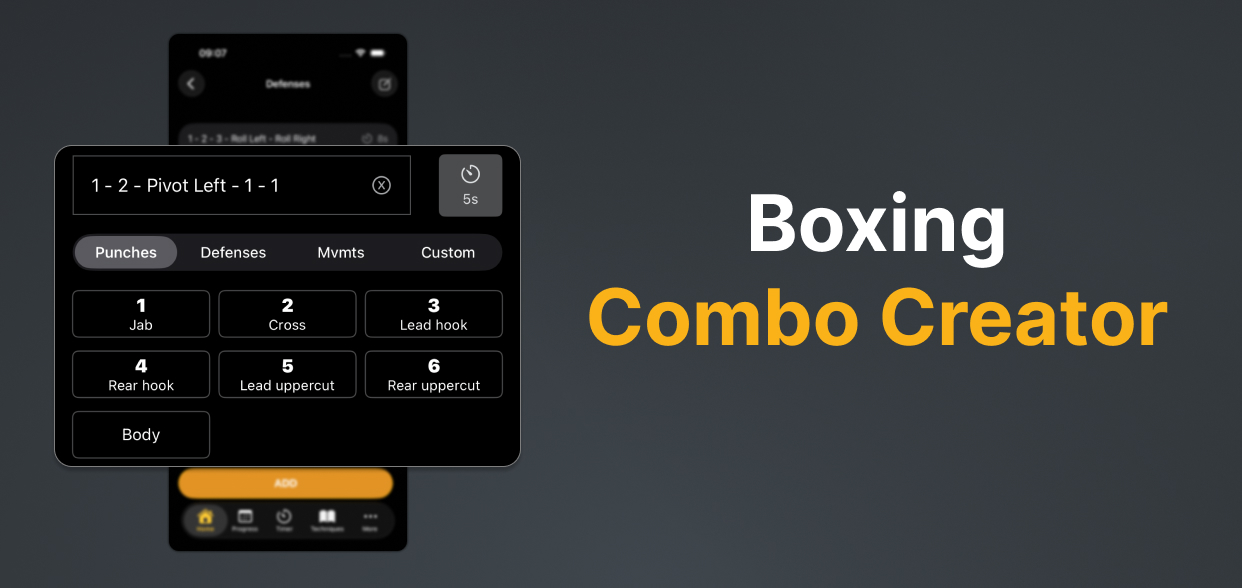
When you already know what to work on
There is a real difference between “give me a good boxing workout” and “I want to throw the 1-2-3 then roll for ten rounds because I keep dropping my hand on the hook.” The first one is what the quick start and the guided exercises handle well. The second one needs you in the driver’s seat, and that is the combo creator.
You name an exercise, then build the combos that go in it: punches, defenses, footwork, in whatever order makes sense to you. The app calls them out during your rounds so you can keep your eyes up and actually move, instead of staring at a list between punches.
Bring your coach’s homework
If you train with a coach, you have probably left a session with a few things to fix before next time. A combo they want cleaner, a defensive habit to break, a sequence that keeps falling apart once you get tired. Those notes usually live in your head until you forget them.
Type them into the combo creator instead. Build the exact combos your coach gave you, set them up the way they described, and run the reps on your own time. When you come back to the gym, you have actually done the work rather than promising yourself you would.
A keyboard for every technique, and then some
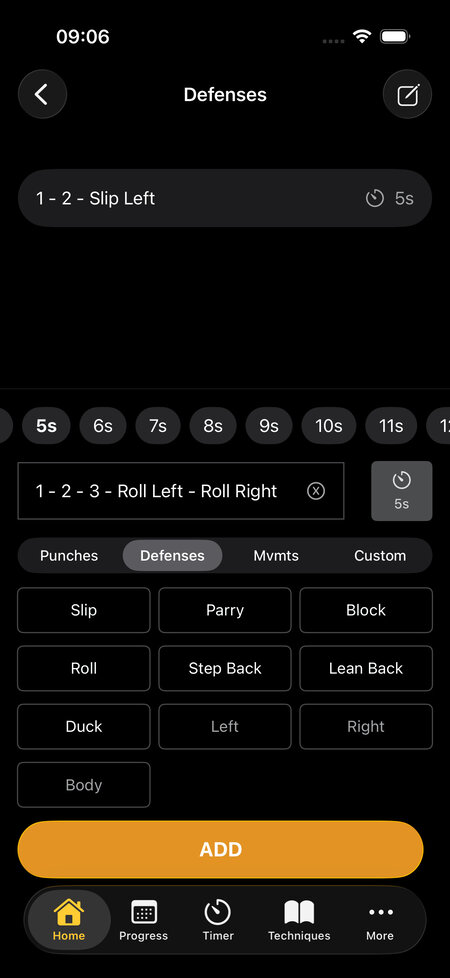
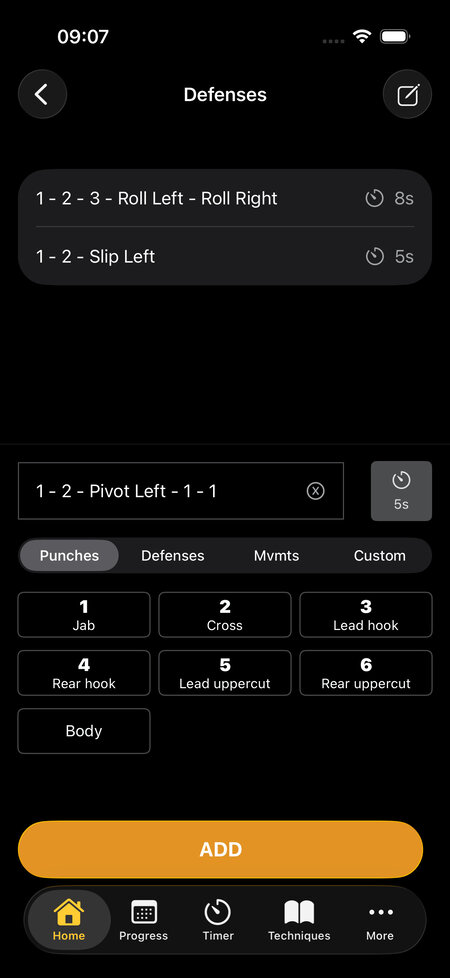
Adding combos works like a keyboard. Tap the punches by number, switch to the defenses tab for slips, rolls, and blocks, jump to the movements tab for pivots and feints, and chain it all into one sequence. Everything in the app’s technique library is right there.
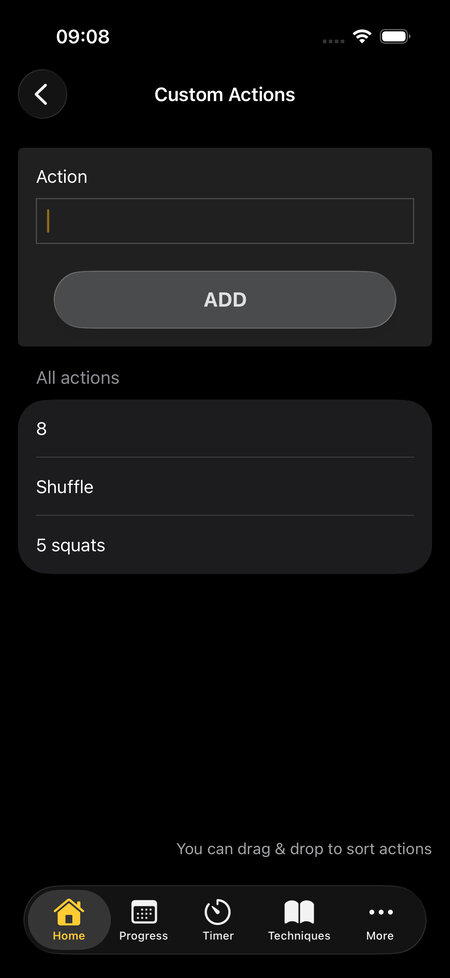
The flexible part is the custom tab. You are not limited to the moves we shipped. Want the app to call out “7” for a numbers drill, or “Ali shuffle,” or “5 squats” between combos? Add it as a custom action and it drops into your sequences like any other technique. This is where experienced boxers and anyone with a very specific idea get the most out of the feature.
Control the pace between combos
Timing matters as much as the combos do. A round of nothing but rapid two-punch exchanges trains something completely different from one built on long, deliberate sequences with time to reset your stance.
Each combo gets its own delay before the next one fires. Set a short gap for quick exchanges and a longer one for combinations that need footwork and recovery in between. You can mix both inside the same exercise so the rhythm feels like a real round rather than a metronome.
Mix your work with the built-in exercises
Here is the part people miss. Your custom exercises do not sit in a separate silo. When you put together a custom workout, your own creations show up right alongside the exercises we made, and you can stack them in the same session.
So a single workout might open with one of our warmup exercises, move into two of your coach’s combo drills, and finish with a built-in cardio burst. You get the structure of a designed session with the specific work you actually need sitting in the middle of it.
This is not hypothetical. Here is how Clinton, who trains for fitness rather than competition, described his setup:
What I love most is how easy it is to build workouts that fit exactly what I need. I typically do six 3-minute rounds with 1.5 minutes of strength work in between. I use some of the programmed routines, but I also customize a lot, adding things like the McGill Big 3 to stay healthy as a 45-year-old training for fitness, not competition.
Clinton
That line, “build workouts that fit exactly what I need,” is the whole feature in one sentence. His rounds lean on our exercises, the strength sets between them are his own, and the McGill Big 3 is exactly the kind of custom action we would never think to put in a boxing app, but that matters a lot to someone training to stay healthy at 45.
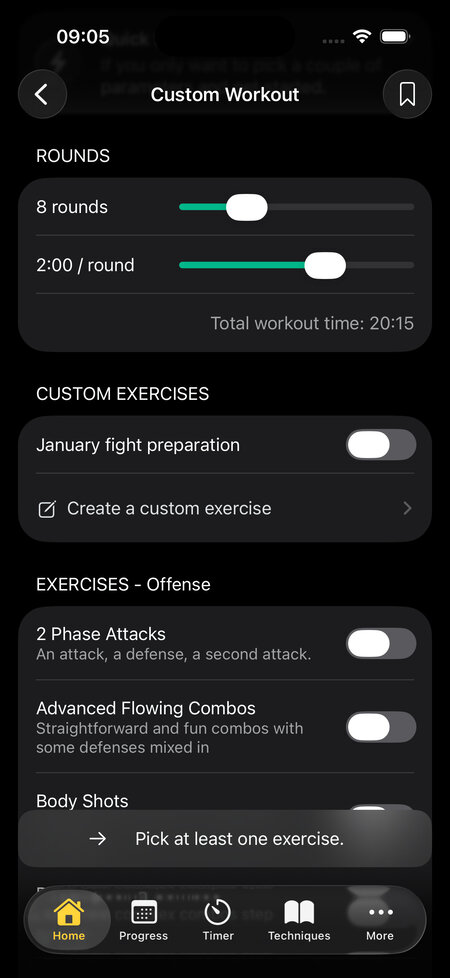
If you want the full step-by-step on setting one up, the combo creator walkthrough covers every screen. Once you have built something you like, you can save it and run it again later without rebuilding it from scratch.
The combo creator will not tell you what to practice. That is the whole point. If you already know, it gets out of the way and lets you build it.