
The Fastest Way to Start a Punching Bag Workout
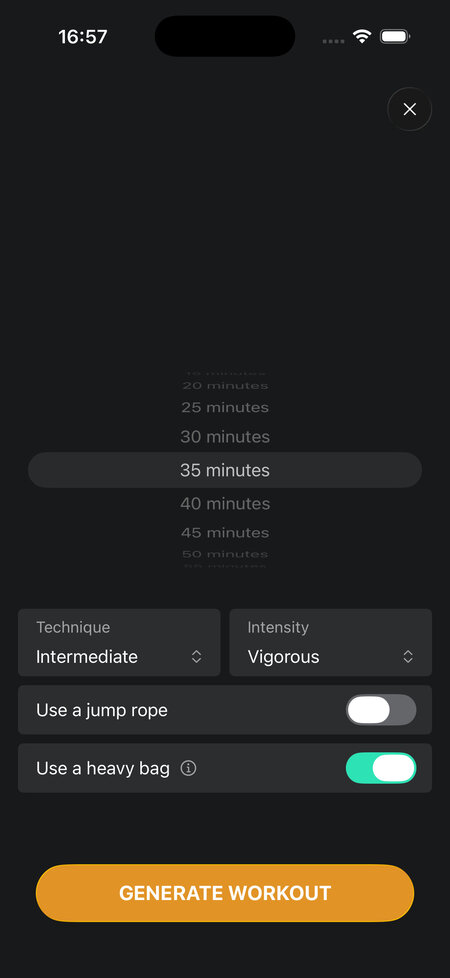
Some days you just want to get to the bag. You do not want to browse workouts, pick exercises, or configure anything. You want to wrap your hands, answer a couple of questions, and start punching.
That is exactly what the quick start feature in the Shadow Boxing App is built for.

How quick start works
You answer four questions: how much time you have, how technical you want the session to be, how hard you want to push, and how much variety you want. That is it. The app generates a workout based on your answers and your boxing profile, and shows you what it looks like before you begin.
The whole setup takes about thirty seconds.
The heavy bag toggle
In the equipment section, there is a “Use a heavy bag” option. Toggle that on, and the generated workout will include exercises built specifically for the bag, not just standard shadow boxing exercises.
This matters because bag-specific exercises work differently. They are designed around the resistance and feedback of hitting something, so you get exercises like alternating power and speed rounds, focus rounds built around a single repeated combo, and defense work that assumes you are moving around an object. The workout still adapts to your time and intensity settings, but the exercise pool shifts to match the bag.
What you get
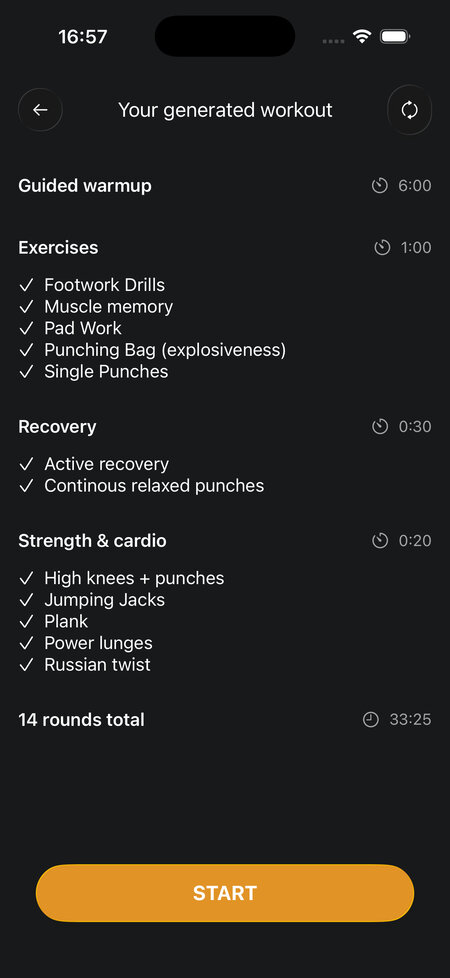
Before the workout starts, the app shows you the full session: exercises, rounds, and structure. If it does not look right, you can generate a new one. Once you confirm, it starts immediately.
Because the workout is generated fresh each time, you will not get the same session twice. That is useful if you train on the bag regularly and want variety without having to plan it yourself.
If you want more control over what goes into a bag session, the punching bag workout guide covers all the available exercises in detail. But for most days, quick start is the better option: less time deciding, more time punching.