
Can You Wear an Apple Watch While Boxing? Shadow Boxing, Bag and Sparring
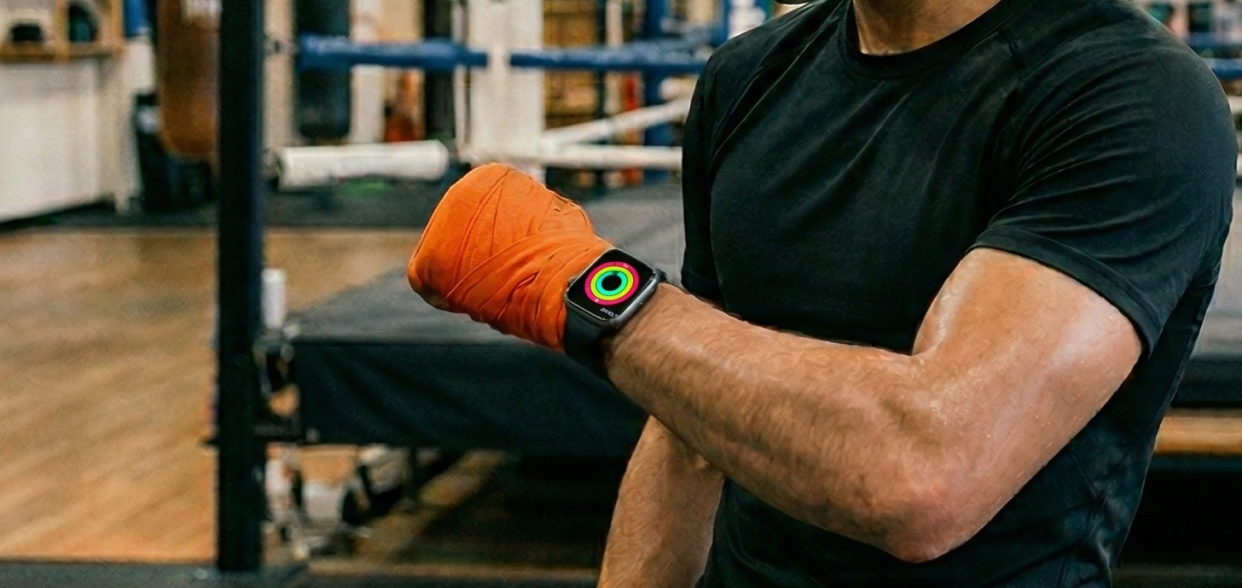
Whether you can box with an Apple Watch on is a question that comes up in our community all the time, usually with two worries attached: will it get in the way, and will it still record the workout. The answer depends on what you are doing. For shadow boxing it works with no effort at all. On the heavy bag it works once you change where you wear it. For sparring, you are better off without it.
Why box with an Apple Watch
We have a more in-depth article on the benefits of an Apple Watch for boxing. The short version:
- Hands-free timing. Your hands are busy, so the clock sits on your wrist instead of on a phone across the room.
- Round alerts you can feel. A round timer taps your wrist when a round starts and when it ends. No bell needed.
- Heart rate and calories. You see how hard a session was instead of guessing.
- A record of your training. Workouts land in the Fitness app and count toward your rings, which helps you stay consistent.
Shadow boxing: wear it as usual
With no wraps and no gloves, nothing touches the watch. Wear it where you always do and start punching.
The one adjustment worth making is the band. Punches whip your wrist around far more than a run does, and the heart rate sensor needs to stay flat against your skin to get a reading. Tighten the strap by a notch before you start, then loosen it again afterwards. A fabric Sport Loop is the easiest band for this because it closes with velcro and fits any size, where a classic strap only gives you a handful of holes.
To record the session, Apple’s Workout app has a Boxing type and a Kickboxing type. If you want rounds instead of one long stopwatch, the Shadow Boxing App comes with a free round timer on the Apple Watch. You pick a preset by sport, for example 12 rounds of 3 minutes with 1 minute of rest for boxing, or set your own rounds, round length and rest. The watch taps your wrist when a round starts and when it ends, and the screen switches from dark to white during rest, so you can tell where you are without reading anything.
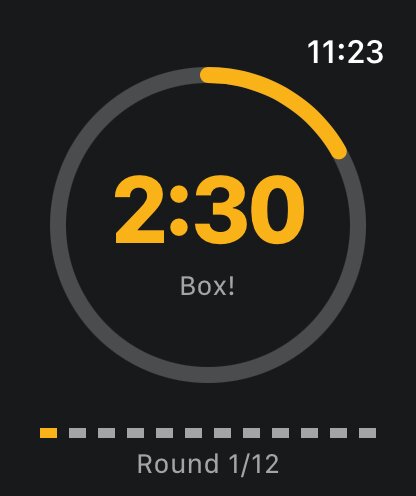
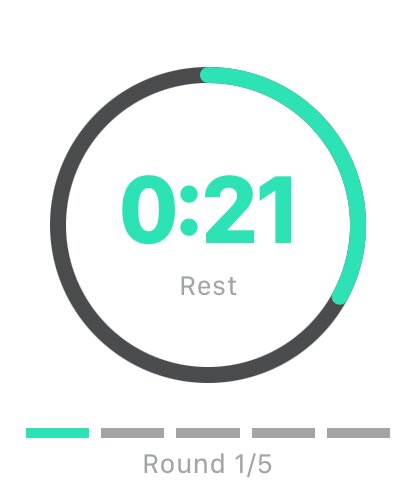
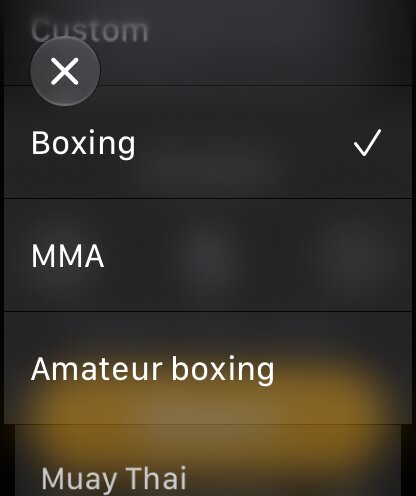
One limit to know about: the watch timer only keeps time. It has no combo callouts, and rounds done with it alone do not show up in the app’s stats. For a guided workout, you run the boxing app on your phone.
Heavy bag: move the watch out of the way
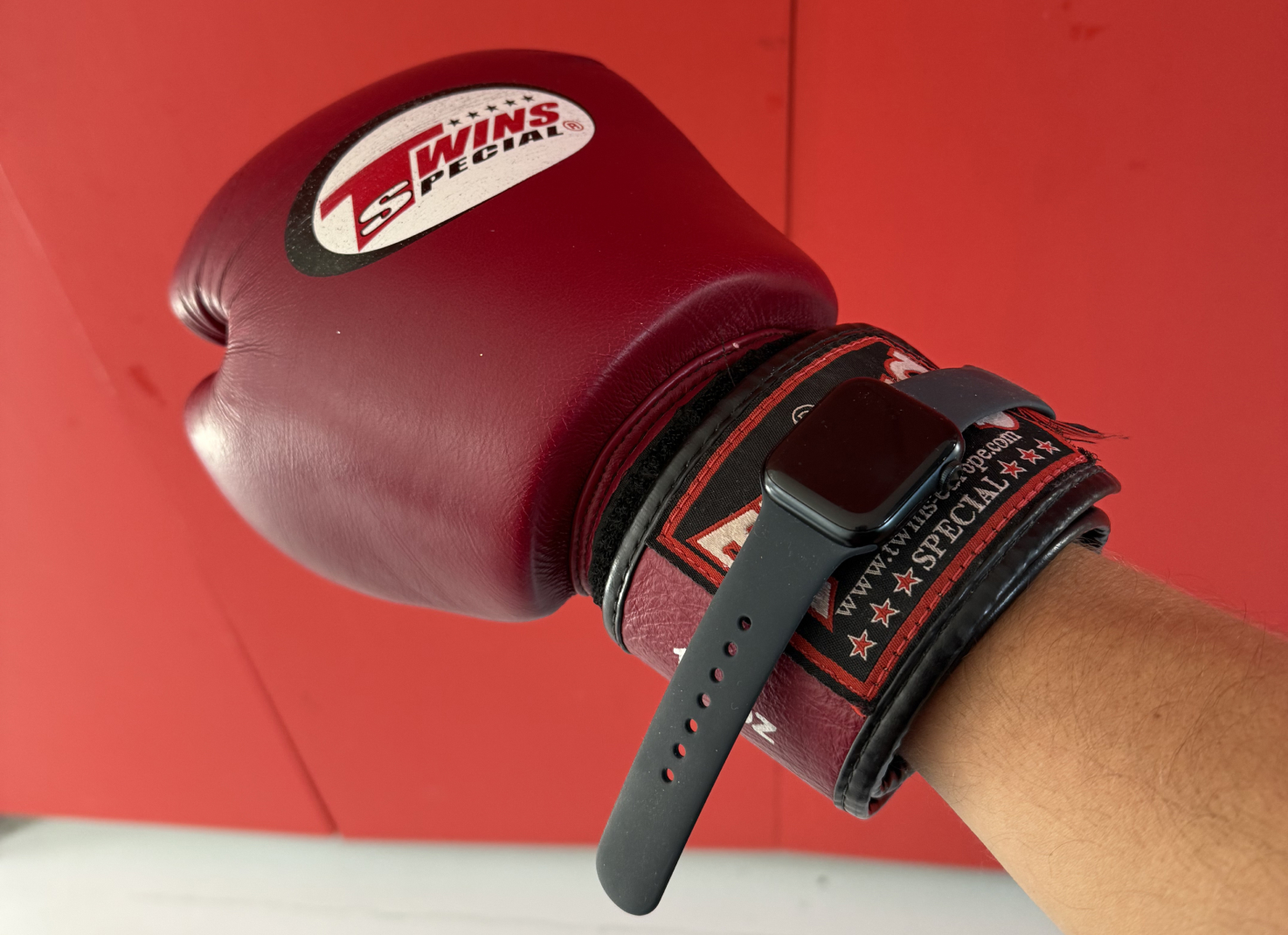
This is where the questions come from. Hand wraps cover your wrist, and the cuff of the glove closes right on top of where the watch normally sits. Leave it there and you get a hard case digging into your wrist bone on every punch, with the cuff pressing the buttons for you. Strapping it over the glove does not work either, since the sensor has to touch your skin to read your heart rate.
People in our community have settled on a few fixes:
- Slide it up your forearm. Two or three inches above the wrist bone, past where the wrap ends and clear of the glove cuff. Your forearm is thicker there, so loosen the strap by a notch or two. This is by far the most common answer.
- Turn it to the inside of your arm. The face and the buttons end up on the soft side of your forearm, away from the stiff part of the cuff.
- Get a longer band. If your strap runs out of holes higher up the arm, a larger band or an arm band built for the watch solves it.
- Start the workout before you wrap. You cannot press anything with gloves on. Put the watch in place, start recording, then do your wraps and gloves. At worst it logs a couple of minutes of you getting ready.
Heart rate does not seem to suffer from the move. Some report that the readings they get higher up the arm match what a separate heart rate monitor gives them, as long as the watch sits snug and does not slide.
Lock the screen and check your buttons
Sweat and glove cuffs both register as touches on the screen. Turn on Water Lock once your workout is running: open Control Center (press the side button, or swipe up from the watch face on older versions of watchOS) and tap the water drop. The screen then ignores touches until you hold the Digital Crown to unlock it. This matters for our watch timer too, since a tap on the screen pauses it.
Water Lock takes care of the screen, but people still report trouble with the buttons on the bag. Pressing the Digital Crown and the side button together pauses a workout in Apple’s Workout app, so a glove cuff can pause your session without you noticing. If that happens to you, open the Watch app on your iPhone, go to Workout and switch off Press to Pause. A long press on the side button also starts an Emergency SOS countdown, which is one more reason to keep the watch clear of the cuff instead of under it.
Sparring: leave it in your bag
We would skip the watch for sparring. Blocks and parries land on your forearms, which is exactly where the watch ends up once you have moved it out of the glove. A metal and glass case there can hurt your partner as easily as it can break. Most gyms ask you to take off watches and jewelry before you get in the ring anyway.
Some people report success wearing the watch on their ankle, using the stretchy extension bands sold for that purpose. In boxing the ankle is out of the line of fire, so it is a workable option if your coach is fine with it. Treat the numbers as approximate since the sensors are designed for a wrist. It is a bad idea for kickboxing or Muay Thai, for obvious reasons.
If you want structure for your partner rounds, the app’s guided sparring workouts run from a phone at ringside, no watch needed.
Your rings can close without the watch on your wrist
You do not have to wear the watch for a session to count. When Apple Health is turned on in the Shadow Boxing App (More tab, then Your Data), every workout you complete on your phone is saved to Apple Health as a boxing workout, with its duration and the active calories you burned. That feeds your Move and Exercise rings, the same way it does when you close your rings with shadow boxing. The calories are estimated from the length of the workout, its intensity and your weight, so fill in your weight in the settings.
The same session also lands in the app’s Progress tab, where you can follow your streak, your total rounds and the calories you burned over time.
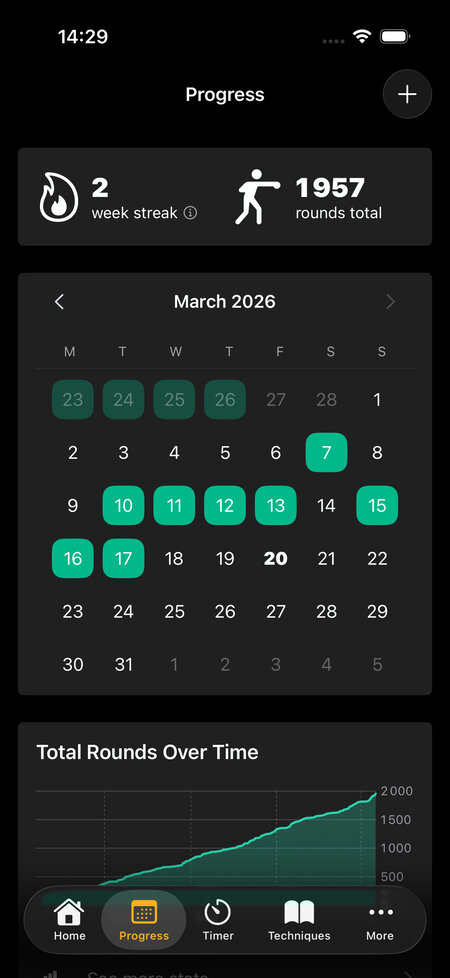
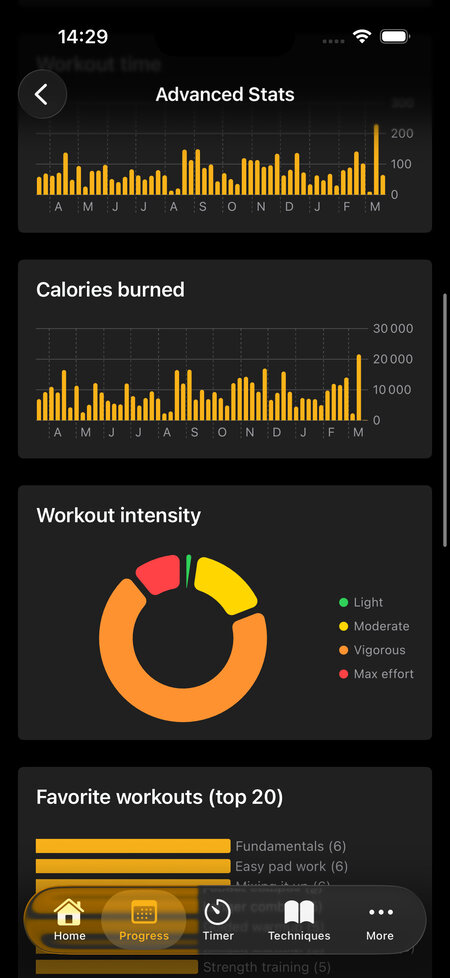
So for a bag workout, you can leave the watch on the bench, follow the rounds on your phone and still get credit for the session. If you do keep the watch on, pick one way of logging: recording a Boxing workout on the watch while the app also saves the session gives you two entries for the same workout in Fitness.
And if heart rate is the reason you wanted the watch in the first place, there is another way to get it with gloves on. With AirPods Pro 3, the app can show your heart rate on screen during the workout. Turn on Track heart rate in the app preferences.