
The Best Boxing App for Apple Devices, From iPad to Apple Watch
If you train with Apple gear, the Shadow Boxing App is the boxing app built to make the most of all of it: your iPhone, your iPad, an iPhone Duo, your Apple Watch and Apple Health.
The iPad is the latest to get attention. Prop one against the wall, step back into your stance, and the coach on screen is suddenly almost life size. For a while, though, the app on iPad looked like a phone app that had been stretched to fit. iPad users told us, and they were right, so we spent the last update fixing it.
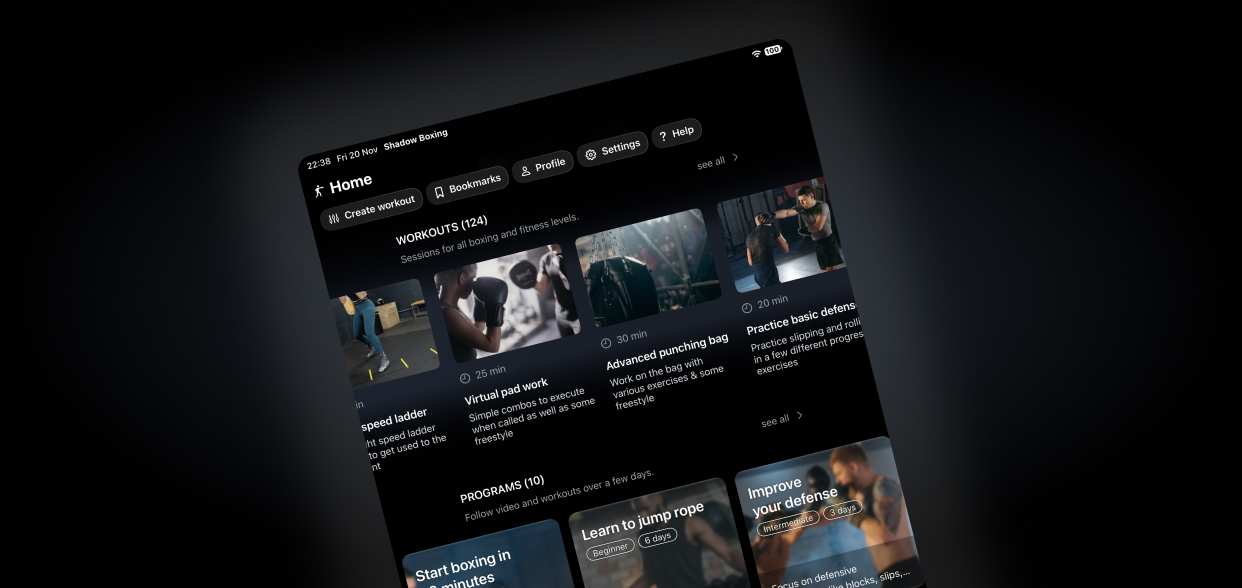
A bigger screen deserves more than a bigger phone app
When you shadow box with an iPad, it usually sits a few feet away, on a shelf or a chair. You glance at it between punches. Everything on it has to make sense in half a second from across the room.
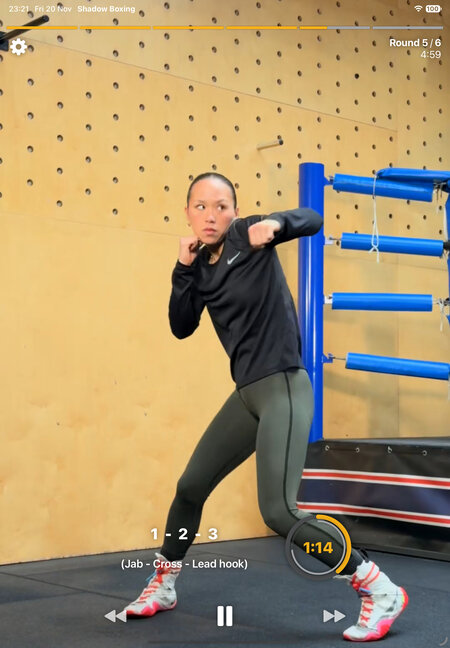
That changed a lot of small decisions. The box-along videos now fill the screen, so you follow the coach’s feet as easily as their hands. The combo being called sits right there, big and clear. On workouts without video, the round timer takes over the middle of the screen and you can read it without squinting, even mid-combo.
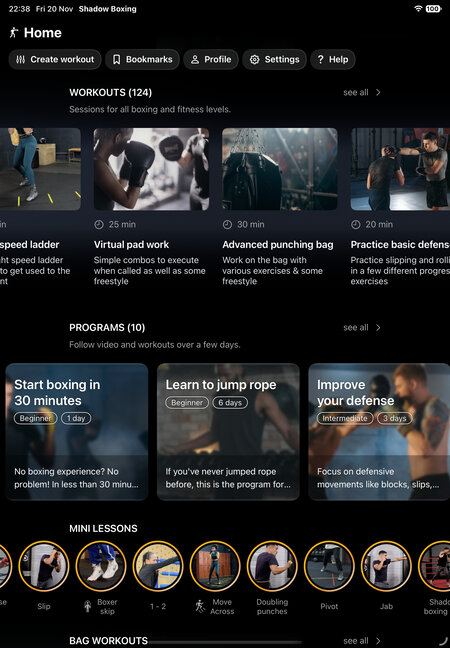
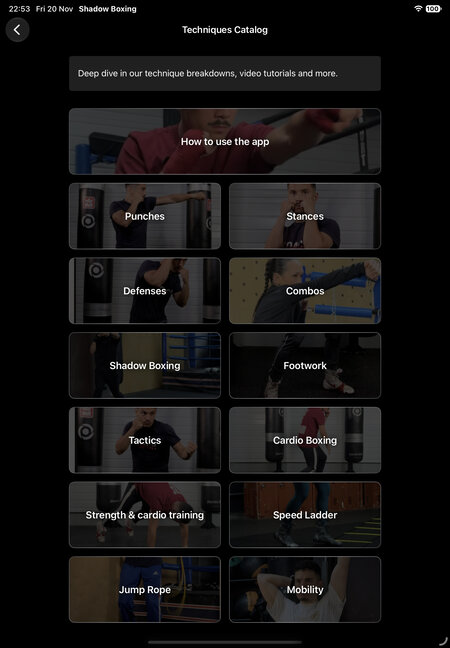
The rest of the app got the same treatment. The home screen, the workout lists and the technique catalog no longer stretch from one edge to the other. Things sit where your eyes expect them, with room to breathe. Browsing for your next workout on the couch feels like it was made for the iPad, because now it was.
Same idea on the iPhone Duo
If this sounds familiar, it’s because we did the same thing a few days ago for the iPhone Duo. A new screen shape doesn’t break an app in one dramatic way. It breaks it in dozens of tiny ones: a button tucked under the clock, a video a bit too zoomed in, a list that runs too wide. You fix them one at a time until nothing looks off anymore.
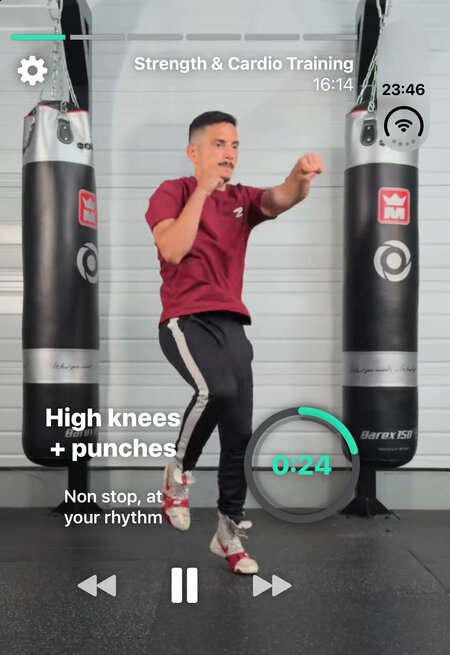
Some of that work carried over to the iPad, and the reverse is true too. Every time we go through the app on a new device, it gets a little better everywhere.
A free round timer on your Apple Watch
Not every round needs a screen. Sometimes you want to hit the bag or move around the room with nothing to look at but the clock. That’s what the Apple Watch is for.
The app comes with a free round timer on the Apple Watch. Pick a preset or set your own rounds and rest, and the watch taps your wrist when a round starts and when it ends. During rest, the screen turns white, so a quick look tells you where you are.
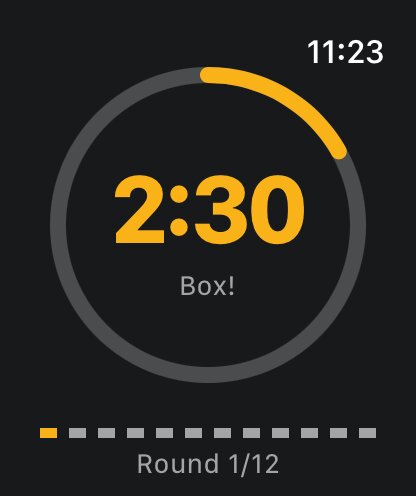
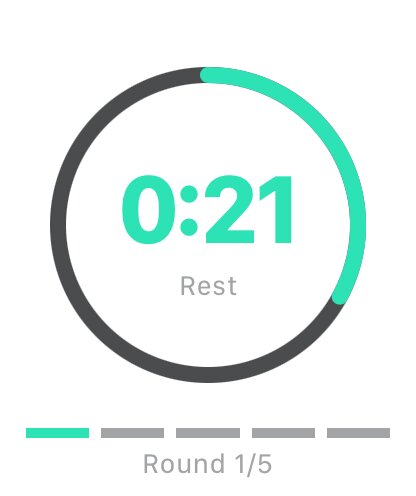
Those taps are the reason the watch app exists. We try to use what each device does best: on the iPad, that’s the big screen you can read from across the room. On the watch, it’s haptic feedback. You feel the round start and you feel it end, so your eyes stay on the bag and you never have to check the time.
It’s a small app on purpose. It keeps time and stays out of your way, which is all you need when your hands are wrapped.
Apple Health ties it all together
The part we like most is that it doesn’t matter which device you trained on. Turn on Apple Health in the app and every workout you finish gets saved there, next to your runs and your sleep. Heart rate from your Apple Watch shows up during your session, and your boxing counts toward closing your rings.
If you train with AirPods Pro 3, the app can use them to track your heart rate too, so you get the numbers even on days you leave the watch on the charger.
We’ll be upfront: getting the calorie numbers right took us more than one try. We fixed them, then fixed them again when they still weren’t right, and you can read about it in our update history.
Whatever you box with, it should feel right
Most of you will never think about any of this, and that’s how it should be. You open the app on whatever is closest, the phone in your pocket, the iPad on the coffee table or the watch on your wrist, and you start a round.
If something looks off on your device, tap “Send us your feedback” in the app’s settings. The iPad update happened because people did exactly that.