
Audio, Text, and Video: How a Boxing App Calls Out Combos
The first time the app calls out “1 - 2 - Roll Right - 2 and Step Back” in the middle of a round, there is a good chance you freeze for a second. Which way do I roll? What was the step back? That little moment of confusion is exactly why every technique in the app reaches you three different ways: a voice that calls it out, text that stays on the screen, and a video you can watch. Each one is there for a different reason.
Audio comes first
When you train, the coach’s voice is the main channel. Every punch, defense, and movement gets called out loud, the same way a coach stands across from you in a gym and tells you what to throw next. You react to the sound, not to your screen.
This matters more than it might seem. When you are shadow boxing you are constantly moving, turning, changing angles. Your phone might be propped on a bench behind you or sitting across the room. If you had to look at it for every combo you would stop, glance, reset, and lose your rhythm completely. Calling everything out by voice keeps your hands up and your eyes forward, the way they would be in a real session. You hear “1-2-3”, you throw jab cross hook, and you are already listening for the next one.
Text stays on the screen
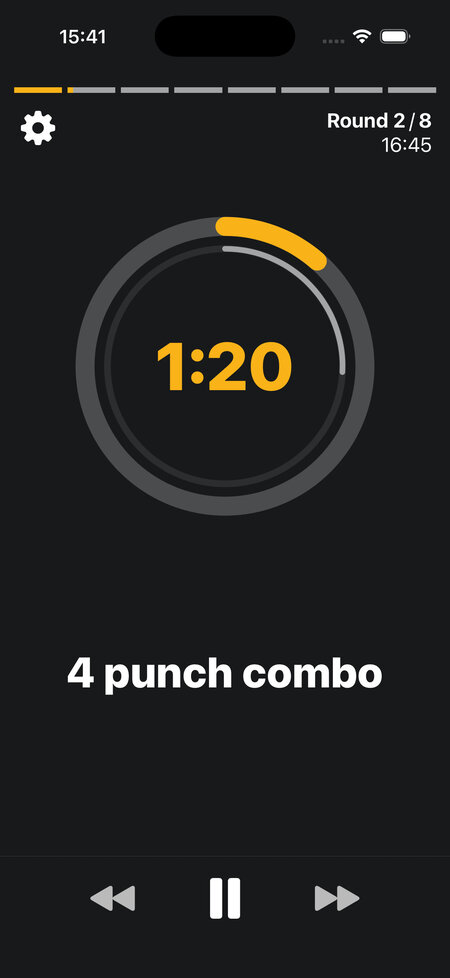
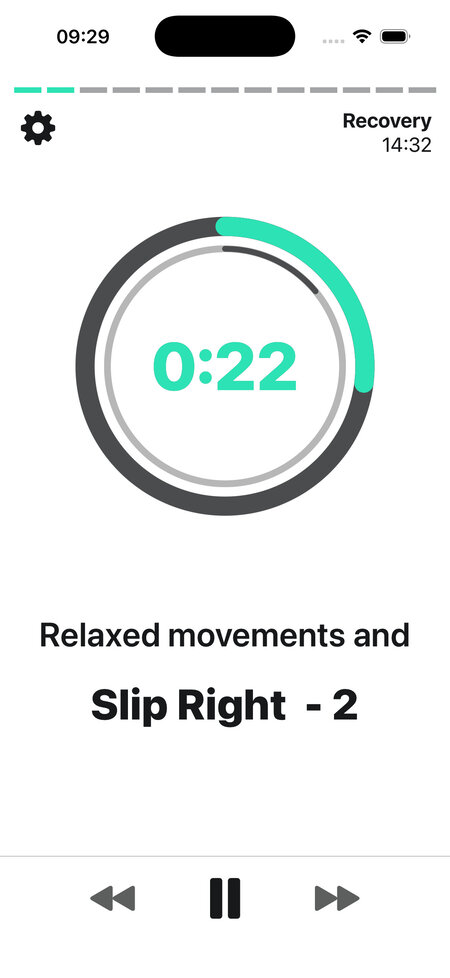
Audio has one weakness: it is gone the instant it is spoken. Mishear a callout or get distracted for a moment and there is nothing left to check. So every callout also shows up as text on the screen, and we leave it there a little longer than the audio lasts. Miss the voice, glance down, and the combo is still waiting for you.
The text also covers the situations where audio is not an option. Training in a loud gym with music going, or somewhere you cannot wear headphones, the on screen combo carries the whole workout by itself. It matters for accessibility too. Not everyone hears well, and a boxing app that only talks to you shuts those people out. You get it: the text is there so the workout still works whether or not you can rely on the sound.
By the way, if you would rather read “Jab - Cross - Slip Left” than “1 - 2 - Slip Left”, there is a setting to swap the numbers for the full technique names.
Video for when words are not enough
Hearing “Roll right” does not help much if you have never rolled. That is where the videos come in. Every technique the app calls out has a tutorial video attached, so you can look up anything you do not recognize. Tap the technique, watch how the move actually works, then get back to training.
You can use the videos two ways.
Watch them before starting
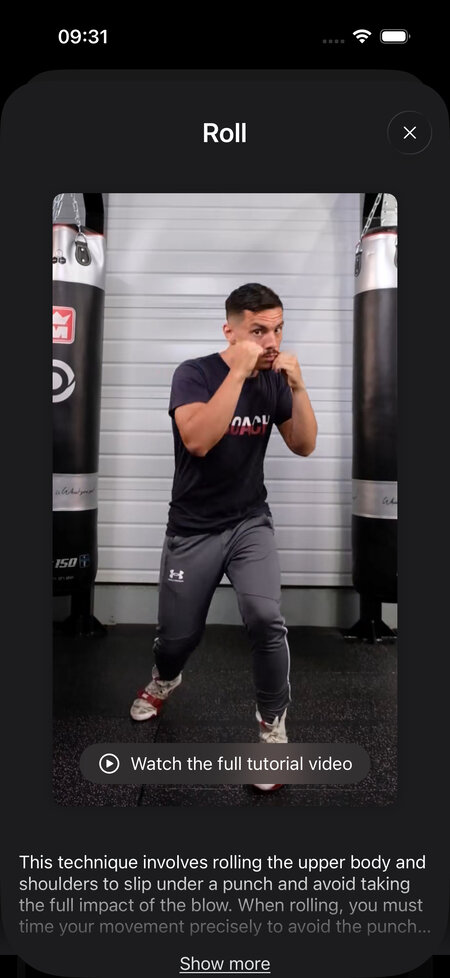
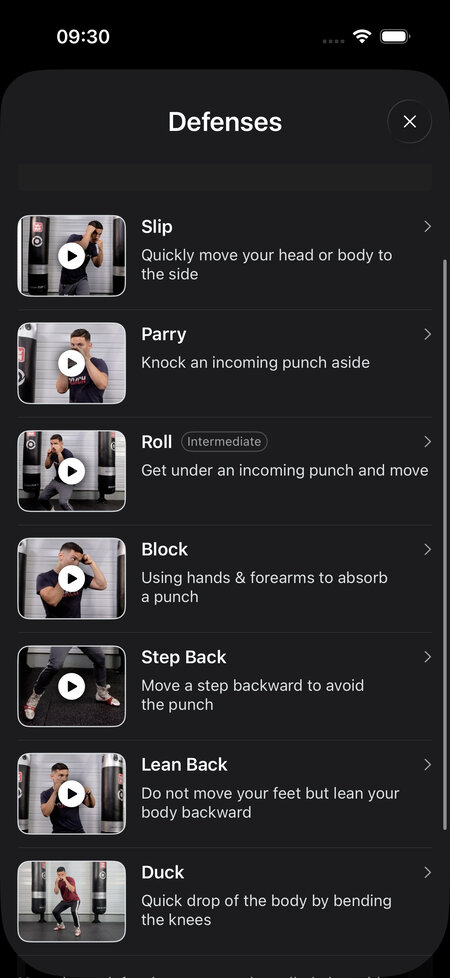
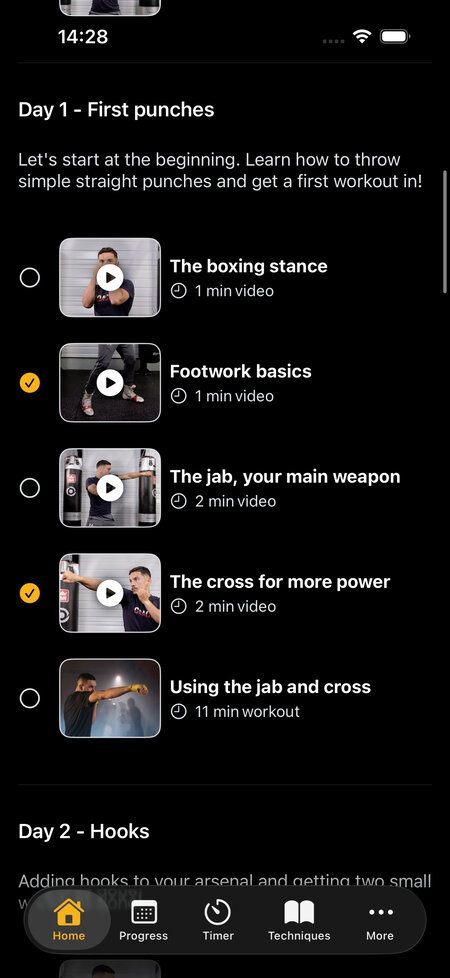
Some people watch them mid workout the first time an unfamiliar callout shows up. Others prefer to scan the technique catalogue before a session so nothing catches them off guard once the round starts. The most important techniques, the punches, the main defenses, the stances, and footwork moves like the L Step, also have longer advanced tutorials that go well past a quick demo.
Videos are also built into the boxing programs. A beginner program like Boxing 101 walks you through the six punches and the main defenses with short tutorial videos first, then puts you into simple workouts that use what you just watched. By the time a move gets called out in a round, you have already seen it.
Watch them directly in your workout
Sometimes you do not have to go looking for the video at all. For certain exercises the demonstration plays right on the workout screen while you train, with the coach running the move next to your timer, so you can follow along without tapping anything.
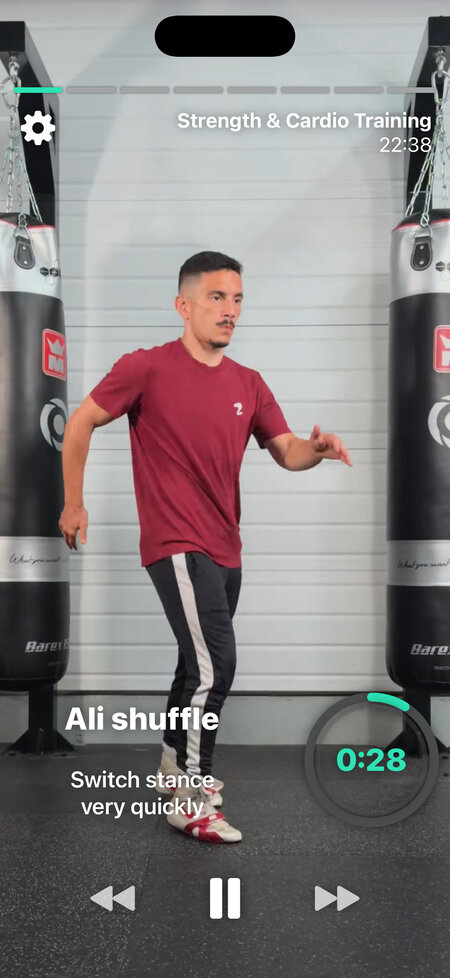
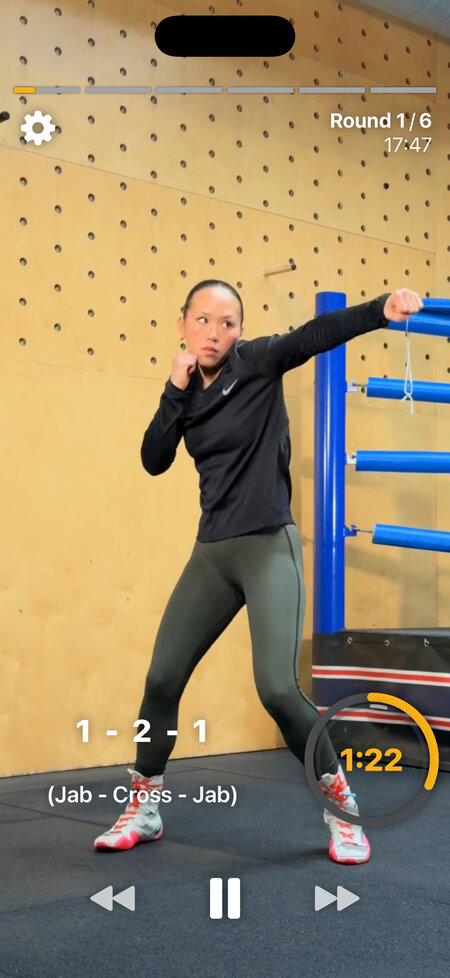
We are careful about where this happens. In a fast, reactive workout the callouts come at you quickly and you are meant to fire on instinct. A video on screen would just pull your eyes off your guard, and you would never get a spare second to look at it anyway.
We add the video in the workout itself only when you are going to stay on one movement long enough for it to be worth watching. Think a Simple Combo Progression that drills the same sequence round after round, or a cardio boxing exercise where you repeat one move for the whole interval. There, looping the coach beside you genuinely helps, because you can match their timing instead of guessing at it.
How the balance shifts as you progress
The mix between the three changes with your level. Beginner content leans heavily on video, because when you are new almost every callout is something you are still learning, and seeing it counts for more than hearing it. As you get more comfortable the videos fade into the background. Advanced workouts run mostly on voice and text, with the videos sitting there as a backup for the rare move you want to double check.
Combos work the same way. A plain “1-2” needs no explanation once you know your numbers. Something like “1-2-Roll right-2-step back” mixes punches, a defense, and footwork, and the first time you meet it the video is one tap away. You can build these yourself too: the combo creator lets you assemble any sequence of punches, defenses, and movements, and the app calls the whole thing out for you the same way it calls out the built in workouts. Defensive sequences get the same treatment, which we covered in the piece on training defense at home.
Never stuck
The point of doing all three is that you should never be stranded mid workout. If you can hear, train by ear and keep moving. If you cannot, read the screen. If you do not know a move yet, watch it. The Shadow Boxing App gives you all three at once so the session fits how you train and what you already know, instead of forcing you to keep up with a single way of being told what to do.